

Vitals that tell a story
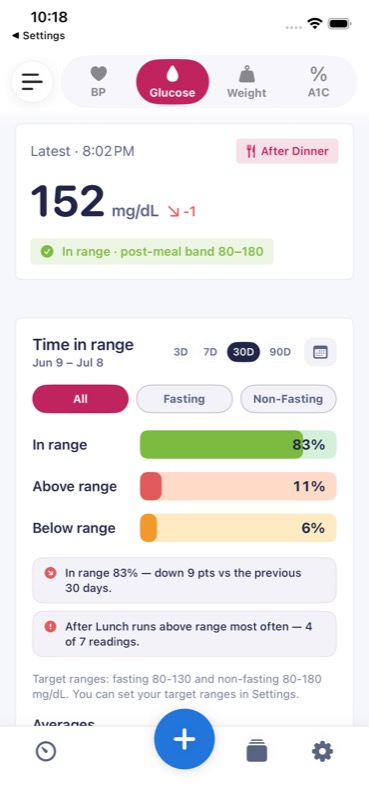
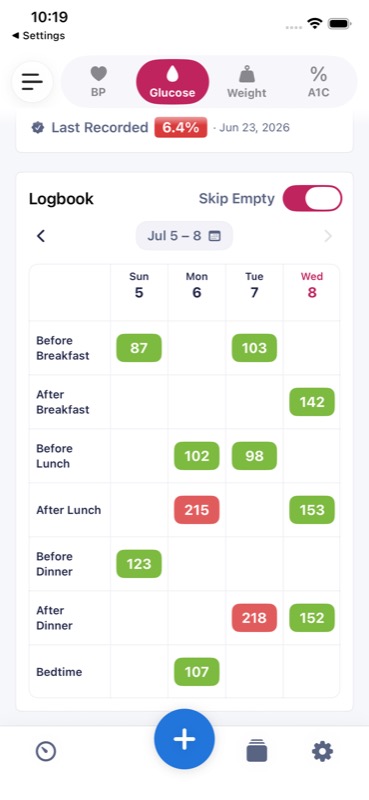
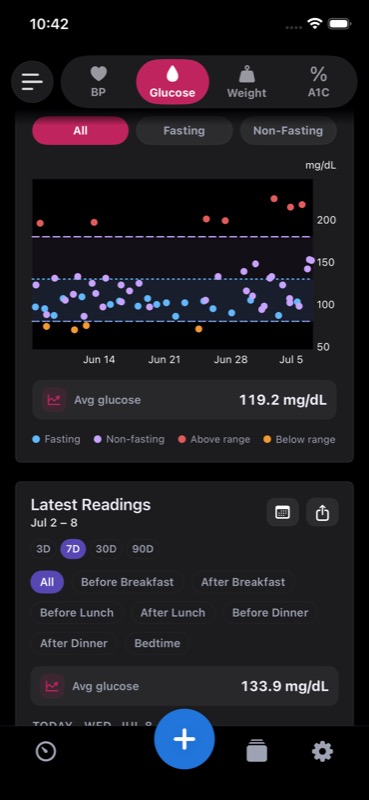
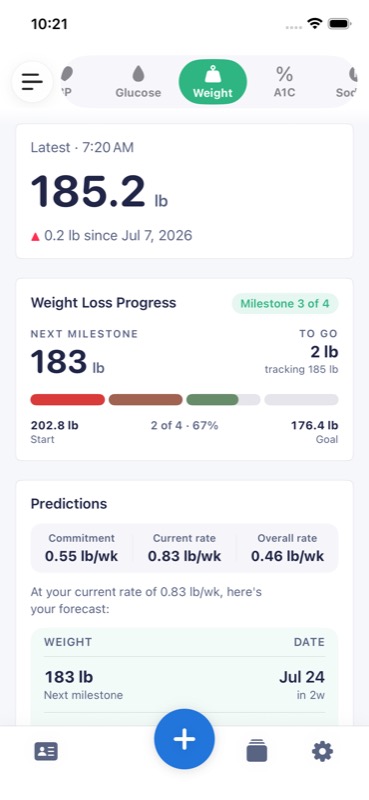
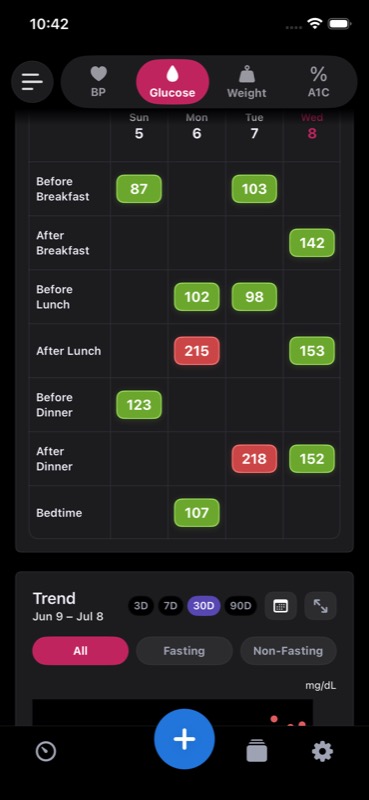
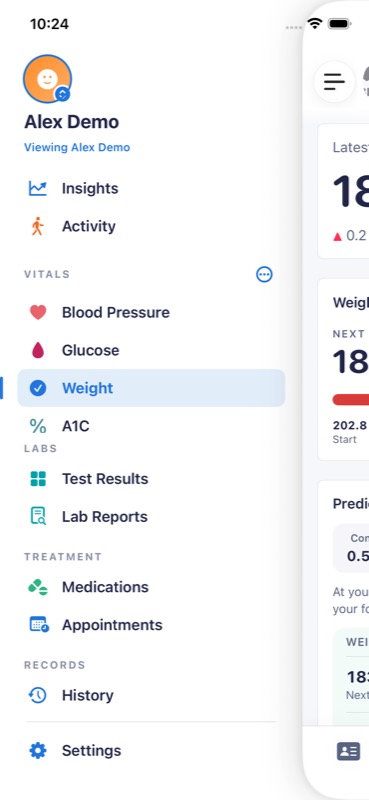
Blood pressure, glucose, and weight each get charts and detailed history, with time-in-range for glucose and blood pressure and goal progress for weight. Reorder or hide panels so every screen fits the way you think.
For iPhone & iPad
Track blood pressure, glucose, weight, and medications. Scan lab reports, spot trends, and share what matters with the people you choose.
Core tracking stays free · Optional Premium · Works with Apple Health
What it does
Start with the vitals you care about. Switch on more — appointments, medications, labs — only when you want them.
Blood pressure, glucose, and weight each get charts and detailed history, with time-in-range for glucose and blood pressure and goal progress for weight. Reorder or hide panels so every screen fits the way you think.
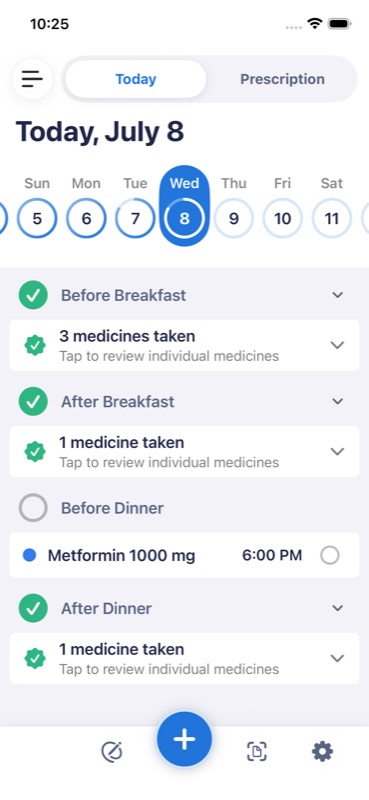
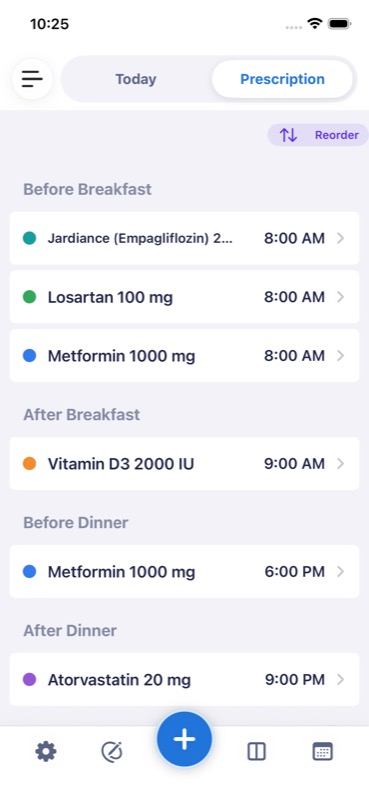
A daily checklist with reminders keeps doses on track. From the Medication report/share sheet, the free Pharmacy Order calculator turns your schedules into quantities for 7, 30, 60, 90, or a custom number of days. Compare your prescription between any two dates and see exactly what was added, removed, or changed.
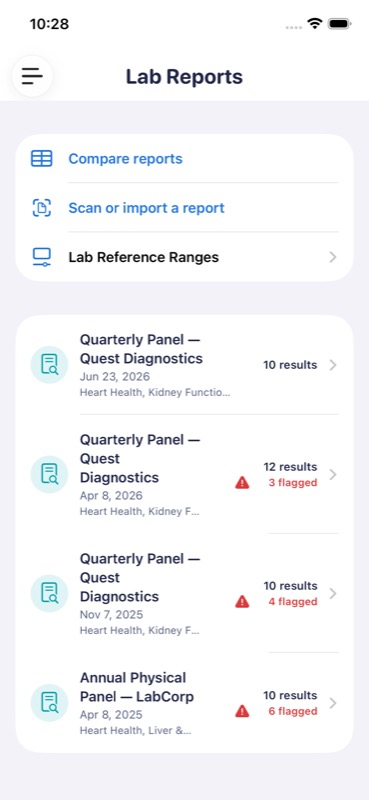
Photograph or import a lab report PDF and AI drafts structured test results for you to compare with the source — after an on-device privacy review and any redactions you choose.
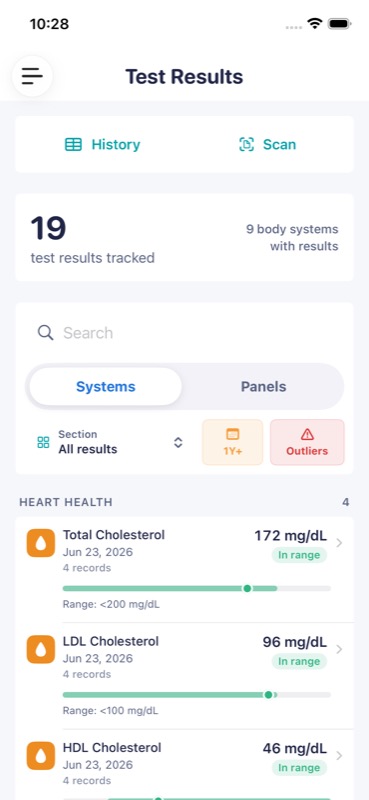
Test Results gathers the analytes you confirm and save from your reports — cholesterol, kidney function, electrolytes — grouped by body system, with ranges and history for each.
Give a caregiver an invite code and they can follow your readings, labs, or doses — read-only — in the companion MED Diary Care app. Plain-text Share/Copy from your real diary is free and never uses a formatted-report allowance; formatted reports can be sent by Messages, email, or WhatsApp, or printed.
Apple Health syncs both ways for free. Premium adds MED Diary's direct Bluetooth integration for the supported Accu-Chek Instant meter and selected Omron monitors. Direct smart-scale support will join the launch list after physical-device validation.
Also inside

Prescription compare
Pick two dates and MED Diary shows every medication added, removed, or re-dosed between them. Separate medication markers on your vital timelines help you review what happened around a change, and you can share the change list with your doctor.
Private by design
AI drafts structured results from your lab reports to reduce typing. Before anything is sent for extraction, you're in control.

Every scan starts with a plain-language summary of what lab reports can contain and what happens next.

Drag boxes over your name, IDs, or anything else. Redactions are burned into the PDF before it goes anywhere.

Inspect the exact file — download it if you like — and only the PDF you approve is sent for extraction.
Your primary diary stays on your devices and in your private iCloud. Live AI sends the health content you submit through the MED Diary server to OpenAI and sends pseudonymous access and free-use identifiers to our server. Optional Shared Access stores end-to-end encrypted record envelopes that our service cannot read. Turn on App Lock for Face ID or passcode protection on this device.
iPad
On iPad, your vitals, labs, and medications sit side by side — in light or dark, whichever you prefer.

Screens
Real screens from the app — scroll through.
FAQ
Your diary lives on your device and, when iCloud is available to MED Diary, supported records and settings sync through private databases in your iCloud account. Server features are opt-in: live AI sends the lab PDF you approve, with any on-device redactions, or the meal description and optional photo you submit through the MED Diary server to OpenAI. Our server also receives pseudonymous identifiers used to verify access and free-use limits. Shared Access stores and relays end-to-end encrypted record envelopes plus the account and operational metadata needed to run the service. Read the full Privacy Policy for the exact data flow.
With Premium, MED Diary supports direct Bluetooth connection to the Accu-Chek Instant glucose meter and Omron Platinum, Omron 10 Series Upper Arm, and Omron Evolv blood pressure monitors. Direct Yunmai and Renpho scale support is still undergoing physical-device validation, so it is not part of the launch compatibility promise yet. Compatible scale readings can still arrive through Apple Health, and manual entry always works.
Yes — two-way, and it is free. MED Diary can read glucose, blood pressure, and weight from Apple Health and write your entries back, so your other apps and devices stay in step. Viewing your latest vitals and logging new readings in the Apple Watch app, widgets, and every alternate app icon are free too.
From Settings you invite a caregiver and choose exactly what they can see — vitals, labs, or medication activity. They enter their invite code in the free companion app, MED Diary Care, and get a read-only view. Creating an invite, adding categories, or restarting a stopped share requires Premium. If Premium later ends, an existing share keeps receiving updates until you narrow or revoke it.
Very much so. Choose which vitals appear and in what order, reorder or hide the panels on each screen, and switch whole modules — appointments, medications, labs — on or off. Light and dark mode are both first-class.
MED Diary is free to download. Free includes unlimited vital and meal history; up to three current medications (active or paused) with simple schedules, reminders, a daily checklist, and the Pharmacy Order calculator; up to three upcoming appointments with reminders; plain-text Share/Copy from your real diary; Apple Health import and export; latest-vital viewing and manual logging in the Apple Watch app; every widget; and every alternate app icon. The calculator is available from the Medication report/share sheet and calculates quantities for 7, 30, 60, 90, or a custom number of days. Optional Premium removes the medication and appointment caps, adds cycle and as-needed schedules and aggregate adherence insights, and unlocks the other Premium workflows described in the app. It is currently US $4.99 per month or US $34.99 per year. Eligible customers who choose the annual plan can receive a 7-day free trial. The App Store shows the exact localized price, tax, currency, and trial eligibility before you confirm; subscriptions renew automatically until cancelled.
Contact
Questions, ideas, or something not working the way it should? Write to us and a human will get back to you.
support@mediary.appPress and partnership enquiries welcome at the same address.